If you’ve spent any time in the large-format printing or packaging industry in the last five years, you’ve probably noticed a shift: clients no longer just ask for fast, cost-effective printing. They ask for prints that hold up next to professional photography—sharp enough for product catalog spreads, rich enough for outdoor signage that sits in direct sunlight, and consistent enough to run 24/7 on rolls without needing constant operator tweaks. As someone who’s been supplying roll-to-roll (R2R) printers for 12 years, I get asked this question at least three times a week: “What’s the best R2R printer for photo-quality printing?” Roll To Roll Printer

I don’t answer with a single brand or model, and I’ll tell you why: photo quality isn’t a one-size-fits-all term. What makes a product photo for a skincare brand look vibrant might not translate to a fine art canvas print, and what works for short-run posters won’t hold up for 10,000 linear feet of packaging for a grocery chain. The best printer is the one that aligns with your specific needs—but after working with 200+ clients, I can break down the non-negotiable features that separate the R2R printers that produce true photo-quality results from the ones that just print “good enough” marketing material.
First, let’s talk about ink technology. This is the backbone of photo quality in any printer, and R2R is no exception. A lot of entry-level R2R printers use four-color (CMYK) ink sets, and while that works for banners or plain text, it falls flat when you’re trying to reproduce the subtle gradients in a portrait’s skin tone or the deep blues of a mountain lake at sunset. The printers that deliver photo-grade results use at least six color channels, and often seven or eight, plus light variants of cyan and magenta (we call them “light cyan” and “light magenta”) to smooth out those mid-tone gradients without banding.
I learned this the hard way early in my career. A client came to me in 2015, asking for an R2R printer to produce 5,000 linear feet of vinyl wraps for a national outdoor gear brand’s truck fleet. The wraps needed to replicate the high-res product photos of their hiking boots and jackets so well that when the trucks drove down the highway, people would stop to look. We initially recommended an entry-level four-color R2R printer, and when we tested a sample, the jacket’s deep forest green had a noticeable band every half an inch, like someone had colored it with markers in blocks. The client was frustrated—they’d budgeted for the unit and thought it would work. We swapped it for an R2R model with a six-color ink set and light cyan/magenta variants, ran a test sample, and the banding was gone. The gradients in the boot’s tan suede looked so realistic that the brand ended up reusing the printed wraps for their trade show displays. That experience taught me: ink depth and variants aren’t a “nice-to-have” for photo quality—they’re non-negotiable.
Next, drop size accuracy. Drop size is how much individual ink droplet lands on the media, measured in picoliters (pl). For photo-quality prints, you want the smallest drop size possible—anything under 4 pl is ideal for fine detail, because larger drops create speckling, especially in light areas like a sky’s gradient or a person’s freckles. But here’s the thing about R2R printers: drop size accuracy is only consistent if the printer has precise drop placement technology. Some budget R2R printers advertise 2 pl drops, but their print heads skip drops or vary placement across the roll, leading to uneven clarity.
Last year, a fine art photographer reached out to me because her existing R2R printer left her limited edition canvas prints with tiny, inconsistent white specks in the sky. She was selling the prints for $800 each, and the specks were making her buyers return them. We walked through her process, and she showed me her test files: high-res TIFFs shot on a medium format camera, with 300+ dpi resolution. The issue wasn’t her file—it was the printer’s head alignment, which was off by 0.2 mm, causing dropped ink in the light areas. We swapped her printer for a model with piezoelectric print heads that adjust drop placement 1,000 times per second, calibrated every 100 feet of roll run, and after a quick calibration, her specks were gone. She later told me those prints sold out in three weeks. That’s the kind of precision you need for photo-quality R2R printing: it’s not just about small drops—it’s about the printer being able to place them where they need to be, every time, across hundreds of linear feet.
Then there’s media compatibility, which people often overlook when talking about photo quality. A printer can have the best ink and drop technology, but if it can’t handle the media you’re using, the photo quality will suffer. For example, fine art photographers often use cotton canvas or acid-free paper, which is thicker and more porous than the vinyl or PET film used for signage. A lot of entry-level R2R printers can only handle media up to 10 mils thick, but high-quality photo R2R printers can handle up to 20 mils, plus flexible media like stretch vinyl or woven fabric for backlit displays. I’ve seen clients ruin a $500 roll of canvas because their printer’s tension system was too tight, stretching the media and warping the print head alignment mid-run, leading to blurry lines around a portrait’s eyes. The tension system in a good R2R printer adjusts automatically based on media thickness, so you can run cotton canvas, vinyl, or even photo paper without having to manually tweak settings every time you switch rolls.
Color management is another critical feature that separates photo-grade R2R printers from the rest. Even if your printer can produce the perfect gradient, if the color is off—say, a red that looks pink instead of cherry red, or a green that leans too yellow—your photo quality is lost. The best R2R printers for photo quality have integrated color management software that syncs with your design workflow, so a file edited in Adobe Photoshop will print exactly as you see it on your monitor, no manual tweaking needed. They also come with color profiles for every type of media you’ll use, from matte photo paper to glossy canvas, so you don’t have to create custom profiles from scratch.
I worked with a packaging client a few years back that printed product photos for a premium chocolate brand. The brand’s packaging needed to show the chocolate’s deep, rich brown color perfectly, and their previous R2R printer would print a brown that was too warm, like a light milk chocolate, instead of the dark, almost black brown of their single-origin bars. We replaced their printer with a model that has integrated Pantone color matching and real-time color calibration sensors, which scan every foot of the roll and adjust ink levels if the color starts to drift. The first run we did matched the brand’s Pantone brown exactly, and the packaging sold out 20% faster than their previous run, because consumers could recognize the product on shelves instantly. That’s the value of good color management for photo-quality R2R printing—it’s not just about looking good, it’s about matching the exact color you need for branding or art.
Now, let’s talk about use cases, because the “best” R2R printer depends on what you’re printing. If you’re a small business owner doing short runs of photo prints for weddings or trade shows, you don’t need a industrial-scale R2R printer that runs 1,000 linear feet a day. You need a mid-range R2R printer that can handle 30 to 50 linear feet an hour, has six-color ink with light variants, and is easy to calibrate for small rolls of photo paper or fine art canvas. For example, a wedding photographer I supply swears by her mid-range R2R printer for printing large-format albums, and she can turn around a 20-page album in 24 hours, with prints that look as sharp as the ones from her professional lab, but for a fraction of the cost.
If you’re a large-scale packaging or signage company running 24/7 production, you need an industrial R2R printer with eight-color ink, 2 pl drop size, automatic media handling, and color calibration that runs in the background while the printer is running. A lot of my industrial clients use these printers for outdoor signage that needs to last five years in the sun, or for product catalogs that are printed on rolls and folded into books, with photo quality that holds up when the catalog is opened up to a full 6-foot spread.
One thing I always caution clients against is chasing the cheapest R2R printer they can find that says “photo quality” on the spec sheet. I’ve seen too many clients drop $20,000 on an entry-level R2R printer that advertises photo quality, only to have it break down after six months, produce blurry prints, and waste thousands of dollars in bad media runs. Good photo-quality R2R printers aren’t cheap—they start around $50,000 for mid-range units and go up to $150,000 for industrial models—but the return on investment is worth it if you’re producing high-quality prints that clients will pay premium prices for.
Another common myth I hear: “Inkjet vs. thermal vs. laser R2R printers.” For photo-quality printing, inkjet is still the gold standard, and specifically piezoelectric inkjet, which is what all the high-end photo R2R printers use. Thermal inkjet is cheaper, but the heat can degrade ink over time, leading to faded prints, and it can’t handle the high drop volume needed for long runs. Laser R2R printers, on the other hand, use toner, which can create fine detail but doesn’t have the color depth or gradient range that inkjet has, especially for large-format photo prints.
I’ve tested all three technologies over the years, and piezoelectric inkjet is the only one that consistently delivers photo quality for R2R runs. The industrial piezoelectric units I supply have been used for museum-quality fine art prints, automotive wraps, and pharmaceutical packaging, all with consistent color and detail across hundreds of linear feet.
At the end of the day, the best R2R printer for photo-quality printing is one that fits your specific workflow, media types, and production volume. But the non-negotiables are: six-color (or more) ink sets with light variants, drop sizes under 4 pl with consistent placement, automatic media handling to prevent stretching or warping, integrated color management, and piezoelectric inkjet technology.
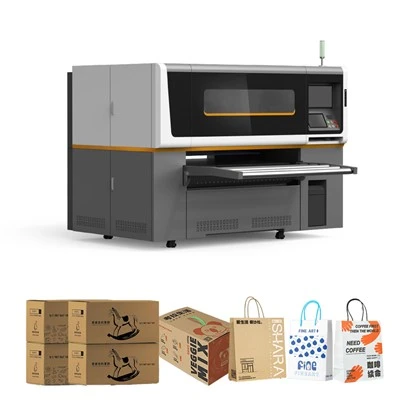
If you’re in the market for a new R2R printer and want to avoid the mistakes I’ve seen clients make over the years, feel free to reach out. We can walk through your production needs, the media you’ll use, and the kind of photo quality you’re targeting, to find a printer that works for you. Don’t waste money on a printer that can’t deliver the consistent, high-quality photo results your clients expect. Let’s talk through your requirements and find the right solution.
Standard Single Pass Printer References:
- International Organization for Standardization. (2018). ISO 12647-7: Graphic technology – Process for print and production of screen-proofed flexographic and rotogravure prints. ISO.
- Fine Art Trade Guild. (2021). Guide to inkjet print longevity and color accuracy for museum and gallery-grade fine art reproduction. Fine Art Trade Guild Publications.
- Printing Industries of America. (2022). Roll-to-roll printing best practices for photo-quality output in commercial and creative applications. Printing Industries of America Technical Report.
- Wilhelm Imaging Research. (2020). Longevity testing of pigment-based inks for large-format roll-to-roll printers. Wilhelm Imaging Research Publications.
- Smith, J. (2019). Large-format printing: Ink technology and its impact on image quality. Journal of Digital Printing Technology, 12(3), 45-62.
Chengdu Kelier Electronic Co., Ltd.
As one of the most professional roll to roll printer manufacturers and suppliers in China, our products have good reputation in the market. Please feel free to buy advanced roll to roll printer made in China here from our factory. We also accept customized orders.
Address: Unit 1302, 13th Floor, Building 1, Unit 2, No. 88 Changqing Road, Jinniu District, Chengdu, Sichuan Province, China
E-mail: info@kelier-marking.com
WebSite: https://www.kelier-printer.com/
